

A few years ago, I discovered Words of Wonders on my phone. At first, I played casually, but soon I found myself stuck on tricky words that I simply couldn’t solve. I tried rearranging the letters in my head, hoping the right word would appear. At the time, I didn’t even know this was called an anagram. That curiosity led me to build my very first solver app.
Back then, I created a simple Words of Wonders Solver app in Kotlin using Android Studio. It had just one main feature: a search form where players could enter letters and instantly see possible results. I published it on the Google Play Store, and it helped both me and other players enjoy the game without frustration.
However, as I gained more experience, I transitioned from Android to Web development. The main reason was speed and flexibility. With web projects, any code I write is instantly visible in the browser. In contrast, developing in Android Studio required long compilation times and slow debugging. I found myself wasting hours on tasks that were quick and straightforward on the web. That’s why I decided to shift my focus and build a modern web-based solver.
Key Features of the Words of Wonders Solver
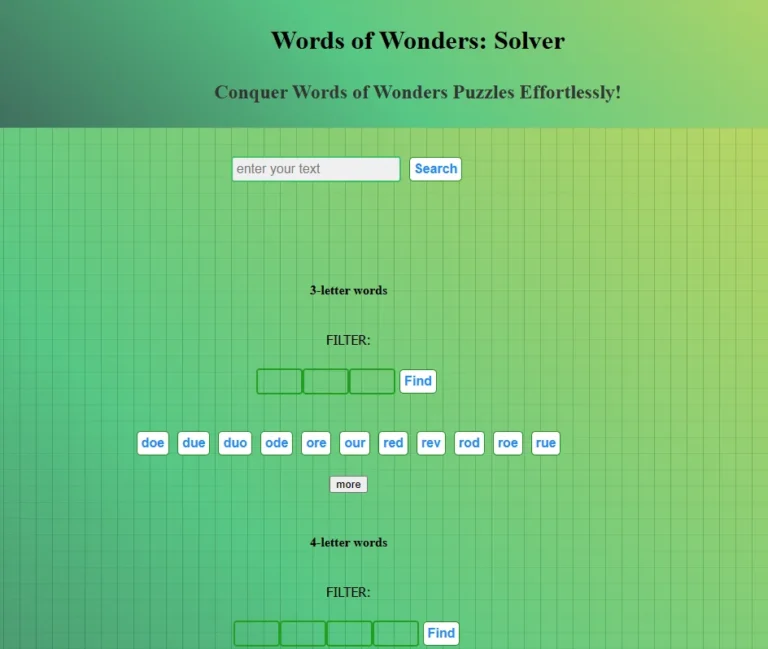
Fast Search – Enter the letters from your puzzle and instantly see all possible solutions.
Smart Display – Results are grouped by word length and shown as clickable buttons. You can mark words you’ve already played to stay organized.
Word Filter – If the solver generates too many results, refine the list by entering letters into position-based filter boxes. This makes it easy to find the exact word you need.
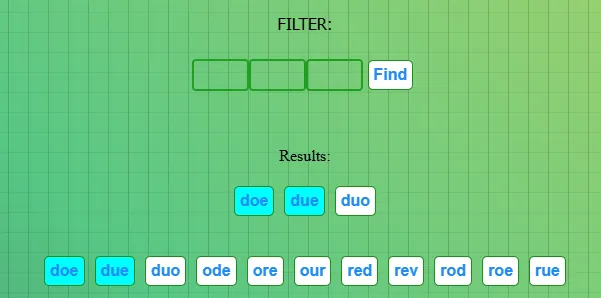
More Button – By default, only the most useful words are shown first, helping you solve the puzzle quickly. Need extra options? Click “More” to reveal additional results.

Why Use a Words of Wonders Solver?
For most players, solvers aren’t about cheating — they’re about keeping the game fun. Sometimes the puzzles include uncommon words you rarely use in daily life, and that’s when frustration can set in. With a solver, you can get just the nudge you need to move forward without spoiling the whole challenge.
Think of it as your puzzle assistant:
Save time when stuck on difficult levels.
Keep track of words you’ve already used.
Discover new vocabulary along the way.
Frequently Asked Questions (FAQ)
1. Is using a Words of Wonders Solver cheating?
Not at all! Many players use solvers only when stuck on rare or tricky words. It’s more like having a hint system than skipping the challenge entirely.
2. Can this solver be used for other games?
Yes! While it’s built for Words of Wonders, it also works for Wordscapes and most other anagram-style word puzzles.
3. Do I need to install anything?
No — the web-based solver works instantly in your browser. Just visit the page, type your letters, and search.
4. Why is this better than other solvers?
Our solver is designed to be fast, lightweight, and user-friendly, with unique features like the clickable word checklist and filter-by-position system.
Final Thoughts
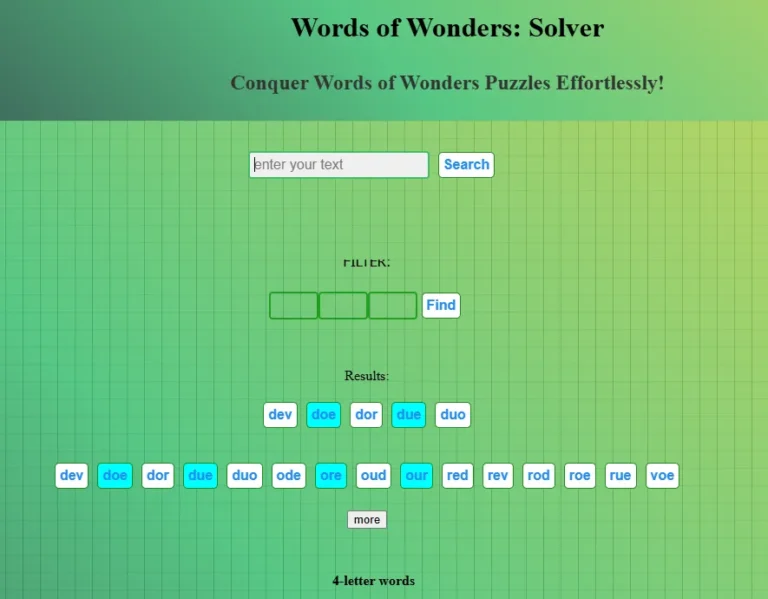
What started as a small Android project has now grown into a fully featured web solver that works on any platform. Whether you play on Android, iOS, or directly in the browser, you can rely on this solver to make your gameplay smoother and more enjoyable.
I built this tool because I love word games and wanted to share something useful with other players. If you ever find yourself stuck, give the Words of Wonders Solver a try — your ultimate puzzle companion is just a click away!
Try the solver nowOr
Try Words of Worder game
Have you tried this solver? Share your experience below!